

How Do You Secure and Manage Macs Used by Fully Remote Employees?
Securing Macs for remote employees requires more than installing a mobile device management platform. Sewelltech uses a 4-layer security baseline for remote Macs: 1) mobile device management, 2) security profiles, 3) FileVault with escrowed recovery keys, and 4) endpoint detection and response (EDR).
These controls should be configured and applied before the employee ever logs in. This gives IT centralized visibility and control over a Mac regardless of where the employee works and helps prevent a common problem: an organization believing its Macs are managed simply because an MDM platform has been installed.
Layer 1 — Use Mobile Device Management to Actually Manage the Mac
Mobile device management (MDM) provides the foundation for managing a distributed Apple fleet, but having an MDM agent installed is not the same thing as having a managed Mac.
A properly configured MDM environment should give IT centralized control and visibility into company-owned Macs regardless of whether they're in the corporate office, an employee's home, or another state.
Cover:
- Device enrollment
- Hardware inventory
- Application inventory
- Application deployment and management
- Operating system/update management
- Configuration deployment
- Security policy enforcement
- Remote administration
- Device status and compliance visibility
Key takeaway: Don't ask only, "Do we have MDM?" Ask, "What is our MDM actually enforcing?"
Layer 2 — Enforce Security Profiles Instead of Relying on Employees
Remote Mac security shouldn't depend on every employee configuring their Mac correctly.
The second layer is centrally deployed security profiles that establish the organization's required configuration.
Explain how profiles can standardize security requirements across the fleet rather than allowing seven, 70, or 700 Macs to develop different configurations over time.
Potential controls to discuss:
- Password requirements
- Screen-lock requirements
- Security settings
- System configuration
- Update policies
- Restrictions appropriate to the organization
- Required applications or services
Framework question for IT leaders: If a new Mac was shipped directly to an employee today, which security policies would be automatically enforced without someone from IT touching the computer?
Layer 3 — Enable FileVault and Escrow the Recovery Key
FileVault protects the data stored on a Mac through full-disk encryption.
But simply turning on FileVault isn't enough for a business environment.
The organization also needs a process for securely escrowing the FileVault recovery key into its management platform.
This becomes particularly important with remote employees. If an employee leaves the company, loses access to their credentials, or IT otherwise needs to recover the device, the organization needs access to the recovery key.
The security question therefore isn't simply:
"Is FileVault turned on?"
It is:
"Is FileVault enabled, enforced, and is the recovery key securely escrowed where authorized IT personnel can retrieve it?"
Layer 4 — Deploy Endpoint Detection and Response on Every Mac
MDM and EDR perform different jobs.
MDM gives IT the ability to configure and manage the Mac. Endpoint detection and response adds another security layer designed to detect and respond to endpoint threats.
A remote Mac security baseline should therefore include EDR on company devices rather than assuming Apple's built-in security or MDM alone provides the organization's entire endpoint security strategy.
Address:
- Why MDM doesn't replace endpoint security
- Central deployment of the EDR agent
- Verification that EDR is actually installed
- Monitoring endpoint status
- Responding to security events
- Keeping protection consistent for remote and office employees
Key takeaway: A Mac can appear in an MDM dashboard and still be missing an important layer of endpoint protection.
How Do You Know Whether Your Remote Macs Are Actually Secure?
Don't assume. Audit the configuration.
An Apple IT security review should verify each layer of the baseline across the device fleet:
1. Device Management: Is every company Mac enrolled and actively managed?
2. Security Profiles: Are required configurations actually being pushed and enforced?
3. FileVault: Is encryption enabled, and are recovery keys properly escrowed?
4. EDR: Is endpoint detection and response installed and operating on every required Mac?
Also examine whether operating system updates and applications are centrally managed and whether IT has an accurate inventory of the fleet.
The distinction matters:
MDM installed ≠ Mac managed.
Real Client Scenario: The MDM Was Installed. Nothing Was Configured.
Sewelltech recently took over technology management for a small firm running seven Macs.
A mobile device management platform was already installed, so the client believed its Macs were managed and secure.
An audit showed otherwise.
Sewelltech found:
- No security profiles were being pushed to the devices.
- None of the seven Macs had an EDR agent.
- Operating system update settings were unmanaged, leaving each Mac to patch—or not patch—on its own schedule.
- Applications weren't centrally managed or inventoried.
- FileVault recovery keys were not being escrowed by the management platform.
The last issue created a particularly serious business risk. If access to one of those Macs was lost because of an employee departure or forgotten credentials, the organization did not have the centrally escrowed FileVault recovery key available through its management platform for recovery.
The MDM platform existed.
The management did not.
Sewelltech applied its 4-layer baseline: device management, security profiles, FileVault with escrowed recovery keys, and endpoint detection and response.
This illustrates why organizations with remote Macs should audit what their management platform is actually doing, rather than treating the presence of MDM software as proof that their endpoints are properly managed.
What Should You Look for in a Managed Apple IT Partner?
Managing a distributed Mac environment requires knowledge of both Apple technology and the management infrastructure surrounding it.
When evaluating a provider, ask about:
- Apple-specific technical certifications
- Experience managing business Mac fleets
- MDM implementation and configuration expertise
- FileVault key management
- Endpoint security
- Remote deployment and management
- Application and update management
- Network expertise
- Ongoing auditing and compliance
Sewelltech Trust Signals
Sewelltech's Apple credentials include:
- Apple Premium Technical Partner
- Apple Business Partner
- Apple Authorized Service Provider
- Apple Certified Support Professional
- Apple Certified IT Professional
- IT Foundations for Apple Partners
Sewelltech also holds Addigy training and certifications, including:
- Addigy Academy Basics
- Addigy Certified Expert
- Addigy Certified Associates
For network and wireless expertise:
- Ubiquiti UWA — UniFi Wireless Admin
The 4 Questions to Ask About Every Remote Mac
A remote Mac security strategy doesn't need to start with dozens of vague promises. Start with four concrete questions:
- Is the Mac centrally managed?
- Are required security profiles actually being enforced?
- Is FileVault enabled with its recovery key properly escrowed?
- Is endpoint detection and response deployed and operating?
If the answer to any of those questions is "we don't know," that's the place to start.
For distributed organizations, physical distance makes centralized visibility more important—not less. The objective is to establish a consistent security baseline that follows the Mac wherever the employee works.
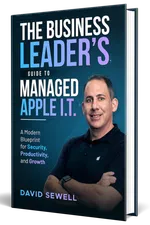
Get Your Free Book "The Business Leader's Guide to Managed Apple I.T."
Learn how expert Apple IT support can make technology a driving force for growth in your business.
Get a copy of our Amazon Best Seller, "The Business Leader's Guide to Managed Apple I.T."
Your guide to turning Apple Technology into a True Business Advantage, and discover the key strategies for eliminating I.T. frustrations and keeping your Apple systems running smoothly.
Comprehensive IT Services Offered by Sewelltech

Cybersecurity Services
Safeguard your business with Sewelltech's advanced cybersecurity solutions. We provide real-time threat monitoring, malware protection, and secure access controls to defend your Apple devices and sensitive data from cyberattacks.

Apple Security Compliance
Ensure your Apple environment meets industry regulations with Sewelltech's Apple Security Compliance services. We align your systems with stringent standards to protect data, maintain privacy, and prevent compliance breaches.

Data Backup & Recovery Services
Prevent data loss and ensure fast recovery with our robust backup and recovery solutions. Sewelltech secures your critical business data, providing peace of mind and rapid access in case of accidental deletions or system failures.

Managed IT Services
Experience worry-free IT management with our proactive services. From monitoring to maintenance, Sewelltech ensures your Apple devices operate efficiently, minimizing downtime and enhancing productivity.

Outsourced IT Support
Access expert IT support without the cost of an in-house team. Sewelltech's outsourced support solutions are designed to keep your Apple systems running smoothly, allowing your team to focus on their business priorities.

Microsoft 365 Services
Streamline collaboration and productivity with Microsoft 365 solutions tailored for Apple devices. Sewelltech handles everything from installation to maintenance, ensuring a seamless experience across your business.

VoIP Phone Systems
Enhance communication with flexible VoIP phone systems that integrate effortlessly with Apple technology. Our solutions offer cost-effective, reliable options for business calls, conferencing, and team collaboration.

Network Design & Wi-Fi Services
Build a fast, secure, and scalable network with Sewelltech's network design and Wi-Fi solutions. We design systems optimized for Apple devices, providing dependable connectivity for seamless operations.

Co-Managed IT Services
Collaborate with Sewelltech to enhance your in-house IT team. Our co-managed services provide Apple-specific expertise and additional resources to strengthen your IT capabilities and efficiency.

Apple Authorized Service Provider and Apple Business Partner
As an Apple Authorized Service Provider and Apple Business Partner, Sewelltech delivers certified repairs, genuine Apple parts, and tailored product solutions. From purchasing to servicing, we provide comprehensive Apple support.

iPad Management
Simplify iPad deployment, management, and security with Sewelltech's iPad Management services. We ensure your fleet of iPads is optimized for business use, providing efficient setup, app management, and ongoing support.

AppleCare for Enterprise
What Our Clients Are Saying About Us
Don’t Be A Dummy. Choose Sewelltech For Your IT Needs

Principal
The Matchbox Studio
No Headaches, Reliable, Consistent, and Smart Support

Owner
SWOON the studio
Uptime and Efficiency Transformed with Sewelltech’s Tailored IT Solutions

Director IT Operations
CEC Entertainment
Local Support and Seamless IT Services That Set Sewelltech Apart

The TransSynergy Group
Peace of Mind and Unmatched Service with Sewelltech

President
LAPAUL PARTNERS
Transformational IT Upgrades and Unmatched Peace of Mind

President
RJ Lander Construction
Seamless Apple Support and Outstanding Value

Senior Systems and Security Administrator
Buckner International
A Trusted IT Partner for Scalable Solutions and Security

Owner
Small Hat Studio
Responsive IT Support and a Team That Truly Aligns with Our Business

Owner
TransSynergy Group
Expert IT Monitoring and Trusted Service

Owner
Packaging Source Inc
Streamlined Efficiency and Unmatched Cybersecurity

Business Manager
The Dove Agency
Proactive IT Support and Personalized Service

Practice Manager
EarWell Centers of Excellence
We Have An IT “Partner” and Not Just An IT Service ”Provider”

President
Cre8 Direct, Inc.
Sewelltech Provides Great Service with A Friendly, Approachable Attitude

Architect
HAMMERS+PARTNERS: ARCHITECTURE, INC
