

What Security Controls Should a Business Have on Every Company-Owned Mac?
Every company-owned Mac should meet a documented baseline of 18 security controls across 8 categories before the device is considered compliant. Those categories are identity and access, encryption, threat protection, network security, patching, application management, data protection, and visibility and lifecycle management.
A security control isn't simply a setting somebody switched on during setup. It is a policy that is continuously enforced, monitored, and reported on.
That distinction matters because a Mac can appear in a device management console, show a green status, and check in regularly while having almost no security policy applied to it.
Enrolled is not the same as managed.
Why Enrolled Is Not the Same as Managed
A device appearing in a mobile device management platform proves that the platform can see the device. It does not prove that the device is properly configured.
Checking in means the Mac is reachable.
It does not mean the Mac is secure.
A properly managed Mac should have documented policies that are deployed, enforced, monitored, and reported through the organization's management and security platforms.
This is why businesses need a defined security baseline rather than simply asking whether MDM is installed.
The 8 Categories of the Mac Security Baseline
Each category answers a different question about the device:
- Identity and access: Who can use this Mac, and under what rules?
- Encryption: If this Mac is lost or stolen, can the data be read?
- Threat protection: What stops or detects an active threat on the device?
- Network: What can reach this Mac, and what can this Mac reach?
- Patching: Is this Mac current, and by what deadline?
- Application management: What software runs here, and who put it there?
- Data protection: If this Mac is destroyed, is the work recoverable?
- Visibility and lifecycle: Can you see this Mac at all, and what happens when the employee leaves?
Key takeaway: A baseline that covers seven of the eight isn't simply 87% secure. It has a specific, nameable hole.
Controls 1-5 — Identity, Access, and Encryption
The first five controls establish who owns and accesses the Mac and protect the data stored on it.
1. Automated Device Enrollment and Supervision Through Apple Business Manager
The Mac should be tied to the organization at the hardware level before it is ever unboxed.
Without automated device enrollment, management depends on someone remembering to enroll the device.
A Mac that is never enrolled is a Mac nobody manages.
2. Password Policy Enforced by Configuration Profile
Password requirements should be delivered as policy and automatically enforced.
Depending on the organization's requirements, these can include:
- Minimum password length
- Complexity requirements
- Expiration requirements
- Other authentication policies
A password standard that exists only in an employee handbook is a suggestion.
One delivered by configuration profile is a control.
3. Screen-Lock Timeout Enforced by Configuration Profile
The Mac should automatically lock after a defined period of inactivity and require authentication to return.
This becomes particularly important for laptops used in:
- Coffee shops
- Airport lounges
- Client locations
- Shared home offices
- Other remote work environments
4. FileVault Enforced at Enrollment
Full-disk encryption should be applied when the Mac is initially configured rather than left to the employee to enable later.
The objective is simple:
A company Mac should not leave the organization's control with its data sitting on an unencrypted disk.
5. FileVault Recovery Key Escrowed to the Management Platform
Turning on FileVault is only part of the control.
The recovery key must also be securely escrowed to the organization's management platform.
This matters when:
- An employee forgets a password
- An employee leaves unexpectedly
- IT needs to recover the device
- The organization otherwise loses normal access to the Mac
The correct security question isn't simply:
"Is FileVault enabled?"
It is:
"Is FileVault enabled, enforced, and is the recovery key securely escrowed where authorized IT personnel can retrieve it?"
Controls 6-9 — Threat and Network Protection
The next four controls address threats running on the Mac and unwanted network access.
6. Endpoint Detection and Response Deployed and Reporting
Detection alone isn't the control.
The EDR agent needs to be:
- Installed
- Current
- Running
- Actively reporting
- Reporting somewhere a human will see the result
A Mac can appear healthy in an MDM console and still be missing endpoint protection.
7. Gatekeeper Enforcement
Gatekeeper helps verify that applications come from identified developers and have not been tampered with before allowing them to run.
The control is ensuring that Gatekeeper remains enforced rather than assuming the Mac's original configuration hasn't changed.
8. System Integrity Protection Verified
System Integrity Protection is enabled by default on macOS, but it can be disabled.
The security control is therefore:
Verify that SIP remains enabled rather than assuming it is enabled.
9. Application Firewall Enabled
The Mac's application firewall should be enabled so incoming connections are blocked unless explicitly permitted.
The network portion of this baseline is deliberately short.
For employees working across home networks, hotels, coffee shops, client sites, and other locations, controls that assume everyone works inside the corporate office may provide little protection to a distributed workforce.
Likewise, a VPN is only a meaningful security control when there is something on the other end that the employee actually needs to reach.
A short, honest baseline is better than a long list padded with controls that don't apply.
Controls 10-14 — Patching, Applications, and Data Protection
These five controls address whether the software is current, what applications are running, and whether company data can be recovered.
10. Operating System Update Enforcement With a Deadline
There is a significant difference between an update being available and an update being installed by a date you can name.
Enforcement means:
- A deadline exists
- The Mac receives the update policy
- The management platform reports compliance
- IT can identify machines that have missed the deadline
Instead of asking:
"Are automatic updates turned on?"
Ask:
"What is our deadline for a critical macOS update, and which Macs haven't met it?"
11. Third-Party Application Patching
Browsers, creative applications, productivity software, and other third-party applications should also follow a managed patching process.
Managing macOS while ignoring the applications running on macOS leaves part of the environment unmanaged.
12. Defined Standard Application Set Deployed by Policy
Every company-owned Mac should receive a known set of required business applications.
Depending on the organization, that might include:
- Productivity software
- Creative applications
- Approved browsers
- Security software
- Business-specific applications
Those applications should be installed and updated through the management process rather than relying entirely on employees to download and maintain them.
Callout: What About Full Application Allowlisting?
Full application allowlisting is deliberately not part of Sewelltech's standard 18-control baseline.
It is a legitimate security control and can be implemented when a regulatory, contractual, or compliance requirement calls for it.
For many businesses, however, the day-to-day friction outweighs the benefit.
A control that gets disabled the third time it prevents someone from doing necessary work isn't protecting anyone.
Naming what the baseline excludes is as important as naming what it includes.
13. Backup on Every Managed Mac
Backup isn't the same thing as folder synchronization.
Businesses also shouldn't simply assume everything important is already stored in a cloud service.
Backup answers a concrete question:
"If this Mac is destroyed today, what is gone?"
The organization should know the answer before a device fails.
14. Find My Policy
The organization should have a defined policy addressing whether and how company-owned devices can be located.
The policy should be established by the organization rather than being left entirely to individual employee preference.
Controls 15-18 — Visibility and Device Lifecycle
The final four controls answer whether IT knows what devices exist, whether those devices remain under management, and what happens when something changes.
15. Hardware and Software Inventory
IT should maintain a current record of:
- What each Mac is
- Which operating system it runs
- What applications are installed
- Who has the device
- Whether the device is actively managed
You cannot secure a device you don't know exists.
16. Check-In Monitoring and Stale-Device Alerting
The management platform should identify when a Mac stops reporting.
A device that quietly falls out of management is particularly concerning because the organization may continue to assume that it is protected.
The control isn't merely recording a "last check-in" date.
The control is doing something when that date becomes unacceptable.
17. Remote Lock and Wipe
A lost or stolen company Mac should be capable of being remotely locked or erased when appropriate.
The capability should also be verified rather than simply assumed.
The time to discover remote lock or wipe doesn't work isn't after someone reports a laptop missing.
18. Defined Employee Offboarding Procedure
When an employee leaves, the organization needs a documented sequence for:
- Recovering the device
- Retrieving necessary encryption information
- Reclaiming software licenses
- Removing access
- Protecting company data
- Preparing the Mac for reassignment, return, or retirement
Offboarding is a security control. It is simply one that runs once.
Which Mac Security Controls Vary by Business?
Not every legitimate security control belongs in a baseline applied to every company.
Additional controls should be applied when regulatory, contractual, operational, or security requirements call for them.
Additional Controls May Include
- Content filtering
- DNS filtering
- VPN configuration
- Full application allowlisting
- External media restrictions
- File-transfer restrictions
- Institutional recovery keys
- Scheduled recovery-key rotation
Keeping these in a separate tier protects the integrity of the baseline.
A promise made to every client has to be a promise kept for every client.
How Can You Determine Whether Your Company's Macs Are Actually Managed?
An IT director or business owner can use 7 questions to test whether the company's Macs are actually managed or merely enrolled.
Each question should be answerable with a report, not an opinion.
The 7-Question Mac Management Test
1. Can you produce a list of every company-owned Mac, including devices nobody has touched in six months?
2. For every Mac on that list, can you show when it last checked in?
3. Can you show which Macs have FileVault enabled and, separately, which have a recovery key escrowed?
These are two different reports.
4. What is your deadline for a critical operating system update, and can you show which machines have met it?
5. Which Macs are missing their endpoint protection agent right now?
6. When an employee left last quarter, what happened to their Mac, and can you prove it?
7. If a laptop were stolen this afternoon, what would you do in the first 10 minutes?
If any of these questions takes more than a few minutes to answer:
The gap may not be in the tooling. It may be in the configuration.
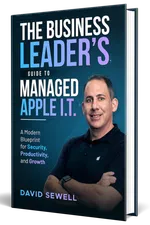
Get Your Free Book "The Business Leader's Guide to Managed Apple I.T."
Learn how expert Apple IT support can make technology a driving force for growth in your business.
Get a copy of our Amazon Best Seller, "The Business Leader's Guide to Managed Apple I.T."
Your guide to turning Apple Technology into a True Business Advantage, and discover the key strategies for eliminating I.T. frustrations and keeping your Apple systems running smoothly.
Comprehensive IT Services Offered by Sewelltech

Cybersecurity Services
Safeguard your business with Sewelltech's advanced cybersecurity solutions. We provide real-time threat monitoring, malware protection, and secure access controls to defend your Apple devices and sensitive data from cyberattacks.

Apple Security Compliance
Ensure your Apple environment meets industry regulations with Sewelltech's Apple Security Compliance services. We align your systems with stringent standards to protect data, maintain privacy, and prevent compliance breaches.

Data Backup & Recovery Services
Prevent data loss and ensure fast recovery with our robust backup and recovery solutions. Sewelltech secures your critical business data, providing peace of mind and rapid access in case of accidental deletions or system failures.

Managed IT Services
Experience worry-free IT management with our proactive services. From monitoring to maintenance, Sewelltech ensures your Apple devices operate efficiently, minimizing downtime and enhancing productivity.

Outsourced IT Support
Access expert IT support without the cost of an in-house team. Sewelltech's outsourced support solutions are designed to keep your Apple systems running smoothly, allowing your team to focus on their business priorities.

Microsoft 365 Services
Streamline collaboration and productivity with Microsoft 365 solutions tailored for Apple devices. Sewelltech handles everything from installation to maintenance, ensuring a seamless experience across your business.

VoIP Phone Systems
Enhance communication with flexible VoIP phone systems that integrate effortlessly with Apple technology. Our solutions offer cost-effective, reliable options for business calls, conferencing, and team collaboration.

Network Design & Wi-Fi Services
Build a fast, secure, and scalable network with Sewelltech's network design and Wi-Fi solutions. We design systems optimized for Apple devices, providing dependable connectivity for seamless operations.

Co-Managed IT Services
Collaborate with Sewelltech to enhance your in-house IT team. Our co-managed services provide Apple-specific expertise and additional resources to strengthen your IT capabilities and efficiency.

Apple Authorized Service Provider and Apple Business Partner
As an Apple Authorized Service Provider and Apple Business Partner, Sewelltech delivers certified repairs, genuine Apple parts, and tailored product solutions. From purchasing to servicing, we provide comprehensive Apple support.

iPad Management
Simplify iPad deployment, management, and security with Sewelltech's iPad Management services. We ensure your fleet of iPads is optimized for business use, providing efficient setup, app management, and ongoing support.

AppleCare for Enterprise
What Our Clients Are Saying About Us
Don’t Be A Dummy. Choose Sewelltech For Your IT Needs

Principal
The Matchbox Studio
No Headaches, Reliable, Consistent, and Smart Support

Owner
SWOON the studio
Uptime and Efficiency Transformed with Sewelltech’s Tailored IT Solutions

Director IT Operations
CEC Entertainment
Local Support and Seamless IT Services That Set Sewelltech Apart

The TransSynergy Group
Peace of Mind and Unmatched Service with Sewelltech

President
LAPAUL PARTNERS
Transformational IT Upgrades and Unmatched Peace of Mind

President
RJ Lander Construction
Seamless Apple Support and Outstanding Value

Senior Systems and Security Administrator
Buckner International
A Trusted IT Partner for Scalable Solutions and Security

Owner
Small Hat Studio
Responsive IT Support and a Team That Truly Aligns with Our Business

Owner
TransSynergy Group
Expert IT Monitoring and Trusted Service

Owner
Packaging Source Inc
Streamlined Efficiency and Unmatched Cybersecurity

Business Manager
The Dove Agency
Proactive IT Support and Personalized Service

Practice Manager
EarWell Centers of Excellence
We Have An IT “Partner” and Not Just An IT Service ”Provider”

President
Cre8 Direct, Inc.
Sewelltech Provides Great Service with A Friendly, Approachable Attitude

Architect
HAMMERS+PARTNERS: ARCHITECTURE, INC
