

How Do You Automate Mac Onboarding and Offboarding for Remote Employees?
Remote Mac onboarding should have one primary objective: make the employee productive on Day 1.
Sewelltech uses a 5-stage onboarding process: Request → Provision → Configure → Guide → Productive. The process starts before the employee receives the Mac. A documented onboarding request triggers the workflow, Apple Business Manager and Automated Device Enrollment (ADE) establish organizational ownership and enrollment, Addigy applies management and security policies, and Addigy Assist guides the employee through the remaining setup.
Offboarding follows a corresponding 6-stage process: Terminate → Secure → Revoke → Transfer → Recover → Reuse.
The goal is to manage the entire employee Mac lifecycle—from the first login through the eventual recovery and reuse of the hardware—without requiring the employee to become their own IT department.
Why Remote Mac Onboarding Should Be Designed Around Day 1 Productivity
A new employee typically arrives with momentum.
They want to:
- Meet their team
- Access company resources
- Understand their responsibilities
- Start contributing
- Demonstrate what they can do
The company should take advantage of that momentum.
The employee shouldn't spend the first morning:
- Trying to get email working
- Figuring out which applications to install
- Waiting for software permissions
- Troubleshooting their Mac
- Searching for passwords
- Calling IT because required software is missing
- Trying to determine which security prompts they should approve
Correct onboarding is about ensuring productivity from Day 1.
Technology should enable that first day rather than become the first obstacle the employee encounters.
The 5-Stage Remote Mac Onboarding Framework
Sewelltech's onboarding process can be understood as:
1. Request
2. Provision
3. Configure
4. Guide
5. Productive
Each stage removes work that would otherwise have to be performed manually by the employee, manager, or IT department.
Stage 1 — Request: Start With a Defined New-Hire Process
Automation can't fix missing information.
Before technology provisioning begins, the company needs to tell IT who is starting, what that person needs, and when they need it.
Sewelltech begins the process with a standardized New Hire Onboarding form.
Why Start With a Form Instead of an Email?
A form creates a repeatable process.
Instead of receiving an informal request such as:
"David starts Monday. Can you get him set up?"
the onboarding process begins with structured information that can drive the technical work that follows.
The specific information required should reflect the client's environment, but the objective is consistent:
Collect the information IT needs before the employee's first day.
That reduces the chance that an important requirement is discovered only after the employee has already started.
The Principle
Automation begins with a complete request, not with the computer.
Stage 2 — Provision: Use Apple Business Manager and Automated Device Enrollment
For company-owned Macs, Sewelltech relies heavily on Apple Business Manager and Automated Device Enrollment (ADE).
The objective is to establish management as part of the Mac's initial setup rather than treating management as something that gets added afterward.
Apple Business Manager Establishes the Organizational Connection
Apple Business Manager provides the foundation for associating eligible company-owned Apple devices with the organization's device-management process.
This means IT doesn't have to depend entirely on an employee manually enrolling the Mac after receiving it.
Automated Device Enrollment Starts Management During Setup
With ADE, device enrollment becomes part of the Mac's initial configuration process.
That is particularly valuable for a remote workforce.
The employee doesn't need to physically bring the Mac into an IT department so somebody can prepare it.
Management begins as part of setup.
Why This Matters for Remote Employees
The employee may be:
- In Dallas-Fort Worth
- Working from home elsewhere in Texas
- In another state
- Hundreds or thousands of miles from the IT team
The management process needs to work regardless of where the Mac is physically located.
Remote onboarding should not depend on the employee being in the same building as IT.
Stage 3 — Configure: Let Addigy Apply the Mac's Required Configuration
After enrollment, the device flows into Addigy, where the organization's assigned management policies can begin taking effect.
This is where enrollment becomes actual management.
Apply the Required Software
The Mac can receive the applications assigned to its policy rather than requiring the employee to find, download, and configure each application individually.
Depending on the client's environment, this can include:
- Productivity applications
- Browsers
- Creative applications
- Business applications
- Security software
- Other required tools
Apply the Required Profiles
The Mac also receives the configuration and security profiles assigned to it.
This connects onboarding directly to Sewelltech's broader Mac security baseline.
The goal isn't simply:
"Did the Mac enroll?"
The question is:
"After enrollment, did the required policies actually arrive?"
Apply the Security Baseline
For Macs managed under Sewelltech's standard, onboarding should establish the applicable security controls rather than leaving security configuration until later.
This includes the core 4-layer security baseline:
- Device management
- Security profiles
- FileVault with escrowed recovery keys
- Endpoint detection and response
This creates an important principle:
Security shouldn't be a project that happens after onboarding. Security is part of onboarding.
Stage 4 — Guide: Show the Employee What Is Happening With Addigy Assist
Automation can create another problem if the employee can't tell what the computer is doing.
A Mac may be installing software, applying profiles, processing security policies, or waiting for a required user action.
Without visibility, the employee may assume something is broken.
Sewelltech uses Addigy Assist as part of the onboarding experience.
Give the Employee Real-Time Setup Visibility
Addigy Assist provides the employee with visual progress while assigned software, profiles, and applications are being installed.
Instead of staring at a computer and wondering whether setup has stalled, the employee can see the process progressing.
Help the Employee Resolve Setup Roadblocks
The setup experience can also identify conditions that need the employee's attention, such as:
- Low battery
- Weak Wi-Fi
- A required restart
- Other setup conditions requiring user action
The objective isn't simply to automate IT's work.
The objective is to make the automated process understandable to the person sitting in front of the Mac.
Make IT Visible Without Requiring an IT Call
The onboarding experience can be customized with company or support information, including:
- Branding
- Support contact information
- Welcome messaging
- Completion information
That gives the employee a guided experience rather than presenting a series of unexplained technical events.
Stage 5 — Productive: Measure Onboarding by Whether the Employee Can Work
The final stage isn't:
"The Mac turned on."
It isn't:
"The Mac appears in MDM."
And it isn't:
"IT closed the onboarding ticket."
The real objective is:
Can the employee do their job?
What Day 1 Should Look Like
When the employee starts, the technology should already be moving toward a known state.
The employee should be able to concentrate on:
- Their role
- Their team
- Their clients
- Their projects
- Their training
- Their responsibilities
—not on becoming the company's temporary Mac administrator.
Don't Invent a Productivity Metric
Sewelltech doesn't need to claim that automated onboarding "improves productivity by 37%" or "saves exactly 4.2 hours per employee" unless those numbers have actually been measured.
The defensible claim is simpler:
The process is designed so that required management, security, applications, and setup occur as part of onboarding instead of being discovered one problem at a time after the employee starts.
The outcome we're designing for is Day 1 productivity.
How Does Remote Mac Offboarding Work?
Good device management doesn't end when an employee receives a working Mac.
Eventually, an employee leaves.
At that point, the priorities reverse.
During onboarding, the objective is to give appropriate access quickly.
During offboarding, the objective is to remove access predictably, protect company information, and recover company assets.
Sewelltech uses a corresponding 6-stage offboarding process:
Terminate → Secure → Revoke → Transfer → Recover → Reuse
Stage 1-2 — Terminate and Secure
The offboarding process begins with Sewelltech's standardized Employee Termination Checklist.
Just as onboarding shouldn't begin with an informal "someone starts Monday" email, offboarding shouldn't depend on an informal message saying:
"Someone left. Can you shut everything down?"
Start With a Defined Termination Request
The client initiates the process through the termination workflow so the required actions can be identified and coordinated.
This matters because termination can involve more than the employee's Mac.
It can affect:
- User accounts
- Company data
- Applications
- Software licenses
- Communications
- Hardware
- Access to company resources
Remotely Secure the Mac
When appropriate, Sewelltech can remotely lock the Mac as part of the termination process.
For a remote employee, this is particularly important because the company-owned hardware may be hundreds or thousands of miles away.
The organization shouldn't need physical possession of the Mac before it can begin protecting company information.
Stage 3 — Revoke Accounts and Software Access
Offboarding needs to address both the device and the employee's digital access.
Depending on the client's environment and termination requirements, actions can include:
- Changing account passwords
- Disabling or removing access
- Canceling software licenses
- Reclaiming licenses for future use
- Removing access to company resources
Licenses Are Part of Offboarding
Software licensing is easy to overlook during termination.
If an employee leaves but assigned licenses remain active indefinitely, the organization can continue paying for technology nobody is using.
A defined offboarding workflow should therefore address both security access and software ownership.
Stage 4 — Transfer Data and Communications
Employee departure shouldn't mean business information disappears with the employee.
Depending on the client's requirements, Sewelltech can assist with transferring necessary information to another authorized user.
Transfer Business Data
Relevant company data may need to be transferred or made accessible to:
- The employee's manager
- A replacement employee
- Another authorized team member
Transition Communication
The organization may also need to determine what happens to communications previously directed to the departing employee.
The objective is business continuity.
The employee leaves. The company's work does not.
Stage 5 — Recover the Physical Mac
Remote work creates an obvious lifecycle problem:
The company's Mac may be sitting in an employee's home in another city or state.
A complete offboarding process needs to account for the physical asset.
Send a Return Box and Prepaid Shipping Label
Sewelltech can coordinate sending the former employee:
- Appropriate return packaging
- A prepaid shipping label
- Instructions for returning the company-owned hardware
This removes another point of friction from the process.
Instead of telling a former employee to "figure out how to ship the Mac back," the return process is defined.
Track the Asset Back Into Company Control
Remote lock protects the device digitally.
Hardware recovery returns the physical asset to organizational control.
Both matter.
Stage 6 — Reuse, Reassign, or Retire the Mac
Recovering the Mac isn't necessarily the end of its useful life.
Once returned, the device can be evaluated for its next step.
Depending on the device and the client's needs, that may mean:
- Preparing it for another employee
- Reassigning it
- Servicing it
- Retiring it
- Recycling it appropriately
This connects the employee lifecycle to Sewelltech's broader approach to Apple technology:
From unbox to recycle.
The Mac isn't simply an endpoint.
It is a company asset with a lifecycle.
How Should Companies Evaluate Their Current Mac Onboarding Process?
An IT director, operations leader, or business owner can evaluate the current process with 7 practical questions.
Each should have a clear answer before the next remote employee starts.
The 7-Question Remote Mac Onboarding Test
1. Who tells IT that a new employee is starting, and how is that request documented?
2. Can a company-owned Mac automatically enroll in management without the employee manually configuring MDM?
3. Which applications and security policies should automatically reach that employee's Mac?
4. Can IT verify that those applications and policies actually arrived?
5. Does the employee have visibility into what is happening during setup?
6. If something fails during setup, does the employee know what to do or whom to contact?
7. Can this entire process work if the employee never enters a company office?
If the answer to the last question is no, the company doesn't yet have a truly remote Mac onboarding process.
How Should Companies Evaluate Their Mac Offboarding Process?
The same principle applies when someone leaves.
The 7-Question Remote Mac Offboarding Test
Ask:
1. How does HR or management notify IT of a termination?
2. Can IT secure the Mac remotely?
3. Which accounts and software licenses need to be revoked or reclaimed?
4. Who receives the departing employee's company data?
5. What happens to the employee's communications?
6. How does the company physically recover a Mac from a remote employee?
7. What happens to the Mac after it comes back?
If these questions are being answered for the first time after somebody resigns, the organization is improvising rather than following an offboarding process.
Real-World Scenario — The First Day Is the Result
A traditional case study might try to say:
"We reduced employee setup from X hours to Y hours."
Unless that time was actually measured before and after implementation, Sewelltech shouldn't manufacture that statistic.
The more defensible scenario is the employee experience.
The Problem
A remote employee starts a new job with momentum.
They want to meet their team and start contributing.
Instead, poorly planned onboarding can turn the employee's first interaction with the company into troubleshooting:
- Email isn't ready
- Required software is missing
- Security tools haven't been installed
- Permissions aren't correct
- The Mac isn't properly managed
- Nobody knows whether setup is complete
The Sewelltech Approach
Sewelltech moves that work into a defined process that begins before the employee starts:
New Hire Form → Apple Business Manager → ADE → Addigy → Addigy Assist → Managed Mac → Productive Employee
The employee can receive a company-owned Mac remotely and begin a guided setup process without requiring the Mac and the IT technician to first be in the same room.
The Business Outcome
The goal isn't a made-up percentage.
It's straightforward:
Protect the new employee's Day 1 momentum.
Technology should help the employee start proving what they can do—not become the first problem they have to solve.
What Should You Look for in a Remote Apple IT Partner?
Companies with distributed Mac users should look for an IT partner capable of managing more than the initial computer setup.
The provider should understand the entire Apple device and employee lifecycle, including:
- Apple Business Manager
- Automated Device Enrollment
- Apple-focused MDM
- Configuration profiles
- Application deployment
- FileVault and recovery-key escrow
- Endpoint detection and response
- Remote support
- Employee onboarding
- Employee offboarding
- Account and license management
- Hardware recovery
- Device reassignment
- Device retirement and recycling
Sewelltech Apple Credentials
Sewelltech's Apple credentials include:
- Apple Premium Technical Partner
- Apple Business Partner
- Apple Authorized Service Provider
- Apple Certified Support Professional
- Apple Certified IT Professional
- IT Foundations for Apple Partners
Sewelltech Addigy Credentials
Sewelltech also holds Addigy training and certifications, including:
- Addigy Academy Basics
- Addigy Certified Expert
- Addigy Certified Associates
Sewelltech Network and Wireless Credentials
- Ubiquiti UWA — UniFi Wireless Admin
The Goal — From New-Hire Request to Productive Employee, Then From Termination to Reuse
Remote Mac lifecycle management can be reduced to two repeatable frameworks.
The 5-Stage Onboarding Framework
Request → Provision → Configure → Guide → Productive
- Request: Collect the new-hire requirements.
- Provision: Connect the Mac through Apple Business Manager and ADE.
- Configure: Apply management, applications, profiles, and security through Addigy.
- Guide: Use Addigy Assist to make the setup process visible to the employee.
- Productive: Let the employee focus on the job instead of configuring the computer.
The 6-Stage Offboarding Framework
Terminate → Secure → Revoke → Transfer → Recover → Reuse
- Terminate: Start with a documented termination request.
- Secure: Remotely secure the company Mac.
- Revoke: Remove access and reclaim appropriate licenses.
- Transfer: Preserve necessary business data and communications.
- Recover: Send return packaging and a prepaid shipping label to recover the hardware.
- Reuse: Prepare the Mac for reassignment, retirement, or recycling.
Together, those processes represent the complete lifecycle:
From unbox to recycle.
The technology behind remote onboarding matters, but the objective is much simpler:
A new employee's first day should be spent doing the job they were hired to do—not setting up the technology they need to do it.
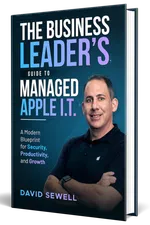
Get Your Free Book "The Business Leader's Guide to Managed Apple I.T."
Learn how expert Apple IT support can make technology a driving force for growth in your business.
Get a copy of our Amazon Best Seller, "The Business Leader's Guide to Managed Apple I.T."
Your guide to turning Apple Technology into a True Business Advantage, and discover the key strategies for eliminating I.T. frustrations and keeping your Apple systems running smoothly.
Comprehensive IT Services Offered by Sewelltech

Cybersecurity Services
Safeguard your business with Sewelltech's advanced cybersecurity solutions. We provide real-time threat monitoring, malware protection, and secure access controls to defend your Apple devices and sensitive data from cyberattacks.

Apple Security Compliance
Ensure your Apple environment meets industry regulations with Sewelltech's Apple Security Compliance services. We align your systems with stringent standards to protect data, maintain privacy, and prevent compliance breaches.

Data Backup & Recovery Services
Prevent data loss and ensure fast recovery with our robust backup and recovery solutions. Sewelltech secures your critical business data, providing peace of mind and rapid access in case of accidental deletions or system failures.

Managed IT Services
Experience worry-free IT management with our proactive services. From monitoring to maintenance, Sewelltech ensures your Apple devices operate efficiently, minimizing downtime and enhancing productivity.

Outsourced IT Support
Access expert IT support without the cost of an in-house team. Sewelltech's outsourced support solutions are designed to keep your Apple systems running smoothly, allowing your team to focus on their business priorities.

Microsoft 365 Services
Streamline collaboration and productivity with Microsoft 365 solutions tailored for Apple devices. Sewelltech handles everything from installation to maintenance, ensuring a seamless experience across your business.

VoIP Phone Systems
Enhance communication with flexible VoIP phone systems that integrate effortlessly with Apple technology. Our solutions offer cost-effective, reliable options for business calls, conferencing, and team collaboration.

Network Design & Wi-Fi Services
Build a fast, secure, and scalable network with Sewelltech's network design and Wi-Fi solutions. We design systems optimized for Apple devices, providing dependable connectivity for seamless operations.

Co-Managed IT Services
Collaborate with Sewelltech to enhance your in-house IT team. Our co-managed services provide Apple-specific expertise and additional resources to strengthen your IT capabilities and efficiency.

Apple Authorized Service Provider and Apple Business Partner
As an Apple Authorized Service Provider and Apple Business Partner, Sewelltech delivers certified repairs, genuine Apple parts, and tailored product solutions. From purchasing to servicing, we provide comprehensive Apple support.

iPad Management
Simplify iPad deployment, management, and security with Sewelltech's iPad Management services. We ensure your fleet of iPads is optimized for business use, providing efficient setup, app management, and ongoing support.

AppleCare for Enterprise
What Our Clients Are Saying About Us
Don’t Be A Dummy. Choose Sewelltech For Your IT Needs

Principal
The Matchbox Studio
No Headaches, Reliable, Consistent, and Smart Support

Owner
SWOON the studio
Uptime and Efficiency Transformed with Sewelltech’s Tailored IT Solutions

Director IT Operations
CEC Entertainment
Local Support and Seamless IT Services That Set Sewelltech Apart

The TransSynergy Group
Peace of Mind and Unmatched Service with Sewelltech

President
LAPAUL PARTNERS
Transformational IT Upgrades and Unmatched Peace of Mind

President
RJ Lander Construction
Seamless Apple Support and Outstanding Value

Senior Systems and Security Administrator
Buckner International
A Trusted IT Partner for Scalable Solutions and Security

Owner
Small Hat Studio
Responsive IT Support and a Team That Truly Aligns with Our Business

Owner
TransSynergy Group
Expert IT Monitoring and Trusted Service

Owner
Packaging Source Inc
Streamlined Efficiency and Unmatched Cybersecurity

Business Manager
The Dove Agency
Proactive IT Support and Personalized Service

Practice Manager
EarWell Centers of Excellence
We Have An IT “Partner” and Not Just An IT Service ”Provider”

President
Cre8 Direct, Inc.
Sewelltech Provides Great Service with A Friendly, Approachable Attitude

Architect
HAMMERS+PARTNERS: ARCHITECTURE, INC
