

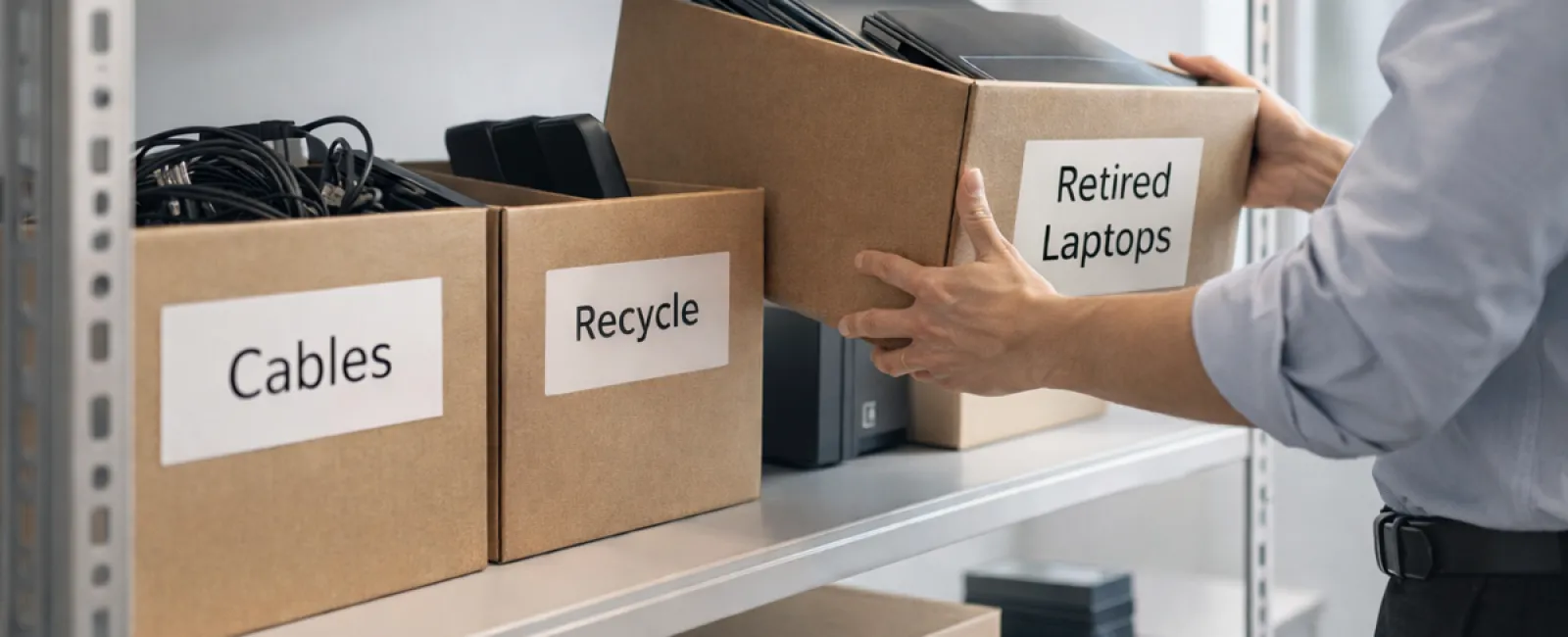
Most spring cleaning begins with tidying closets, but in business, the real clutter often lies beyond the obvious.
It might be in your server racks, stored away in a back room, or piled under a "deal with later" label in your office corners.
Old laptops, outdated printers, backup drives from several upgrades ago, and boxes of cables kept "just in case" accumulate everywhere.
This accumulation is common for every business.
The essential question isn't about what you have but if you have a clear strategy for what happens next.
Technology Lives Beyond Its Purchase Date
When you invest in new tech, it's usually for greater speed, enhanced security, improved functionality, or to accommodate growth.
While most companies plan purchases carefully, few strategize the retirement of their devices.
Technology retirement often happens quietly—replaced devices get set aside until someone finally decides to clear the clutter.
That's normal, but often overlooked.
What's unusual is treating device retirement with the same attention as its acquisition.
Old equipment can still hold value, recyclable parts, or sensitive data, and can become a liability simply by lingering unused.
Spring's the perfect season to evaluate: which devices still serve a purpose, and which just consume space?
An Effective Strategy for Streamlining Your Tech
Don't let this be a vague intention—follow our practical four-step plan to manage your tech cleanup.
Step 1: Conduct an Inventory
Identify exactly what equipment needs retiring—laptops, phones, printers, network devices, external drives. You can't control what you've not listed, and a thorough review often uncovers more than expected.
Step 2: Choose the Proper Outcome
Devices usually fall into reuse (within your company or donation), recycling (via certified e-waste services), or destruction (when data security demands). The goal is to decide deliberately rather than letting items languish in storage.
Step 3: Prepare Devices Correctly
A little effort here saves big headaches later.
For reuse or donation, remove devices from management systems, revoke access, and perform certified data wipes—not just factory resets. Deleting files or quick formats only hide data locations without erasing content.
According to Blancco, 42% of drives sold on eBay held sensitive data despite claims of proper wiping. Certified erasure overwrites all sectors and provides verification reports.
Recycle through certified e-waste companies—not the trash. Programs like Best Buy's accept only residential devices, so businesses must seek specialized IT asset disposition (ITAD) providers. Look for e-Stewards or R2 certifications (directories at e-stewards.org and sustainableelectronics.org). Your IT provider can often assist in coordinating.
For destruction, use certified data wiping or physical destroyers like shredders or degaussers, and keep detailed records—serial numbers, methods, dates, and handlers.
This approach isn't paranoia; it ensures your process is secure and complete.
Step 4: Document and Move Forward
After equipment leaves your premises, track where it went, how it was processed, and that access was fully revoked. Proper documentation closes the loop.
Devices Often Overlooked
Laptops often get attention, but other tech is frequently forgotten.
Phones and tablets may still hold email, contacts, or authentication apps. While a factory reset helps, certified mobile wipe tools provide comprehensive data removal. Manufacturers like Apple and Samsung offer trade-ins—even for older models—that can credit you towards new gear.
Modern printers and copiers often have internal hard drives storing every scanned, faxed, or printed document. When returning leased copiers, ensure in writing that these drives are wiped or removed before redeployment.
Batteries are classified as hazardous waste by the EPA and are illegal to discard with regular trash in many states like California, New York, and Minnesota. Remove batteries when you can, tape terminals to prevent shorts, and recycle at certified locations found via Call2Recycle.org or retailers like Staples, Home Depot, and Lowe's.
External drives and retired servers often linger forgotten in closets but should undergo the same careful retirement process as all equipment.
Recycling Matters
Earth Day in April is a good reminder that electronics don't belong in landfills. Globally, over 62 million metric tons of e-waste are generated each year, yet only about 22% is properly recycled. Batteries, monitors, and circuit boards require certified recycling streams, and many communities offer legitimate e-waste programs for this purpose.
With proper handling, retiring technology is not only operationally smart and environmentally responsible but also strategically beneficial. You can be secure while staying green.
It's also a positive story to share on your company's social channels—customers notice when businesses manage tech responsibly without fanfare.
Unlocking Greater Potential
Spring cleaning is about more than disposing—it's about creating room to grow.
Clearing outdated equipment is just one part. It's also a chance to reevaluate: does your technology truly support the way you want to run your business?
Hardware cycles, but software, automation, and optimized processes drive real productivity and profitability today.
Properly retiring equipment keeps your operations tidy. Making sure your tech strategy matches your business goals keeps you ahead.
How We Help
If you've already established a retirements plan, excellent—that's how it should be: straightforward and routine.
While you consider disposing of hardware properly, it's also wise to reassess your entire tech environment: are your systems integrated? Are your tools efficient? Does your technology foster growth or just maintenance?
We're here to help you step back and analyze your tech stack, processes, and systems for better productivity and profitability.
No pushy sales. No equipment checklist. Just a practical discussion on making technology work harder for your business.
Click here or give us a call at 214-845-8198 to schedule your free 15-Minute Discovery Call.
Feel free to share this with another business owner who could benefit.
Spring cleaning extends beyond closets — it includes the systems that keep your business thriving.


